Neither route is a store download
The first thing to settle, because most pages on this topic skip it: there is no App Store listing and no Play Store listing. Google Play restricts real-money gambling apps to a short list of licensed markets, and Apple requires an operator licence per storefront. So the Win Spirit app reaches your phone one of two ways, and they behave differently once it is there.
| APK (Android only) | Browser install (Android + iOS) | Plain mobile site | |
|---|---|---|---|
| How you get it | Sideload from the casino or a partner link | Chrome: Install app · Safari: Add to Home Screen | Just open the site |
| Install permission | Required, per app | None | None |
| Home-screen icon | Yes | Yes | No |
| Runs without browser chrome | Yes | Yes | No |
| Updates | Manual re-download | Automatic on next launch | Always current |
| Push alerts | Yes | Android yes · iOS only from the icon | No |
| Storage used | 85–120 MB | Minimal | None |
| Blocked on managed devices | Often | Rarely | No |
Read the update row first. It is the difference that lasts longest and the one nobody advertises.
The update problem with the APK
An app installed from Google Play updates in the background because the store maintains a channel to it. A sideloaded APK has no such channel. Nothing checks for a newer build, nothing prompts you, and the app will keep launching happily for months while the platform moves on underneath it.
Practically that means:
- You update by repeating the install. Download the current file from the same source and install over the top. The account is server-side, so nothing is lost.
- Cashier changes are what break first. New payment methods and changed limits land on the server; an old client can render them wrong or not at all.
- There is no version prompt. If something behaves oddly, re-installing the current file is the first diagnostic, not the last.
If that maintenance sounds like friction you will not keep up with, the browser install removes it entirely — it re-fetches from the server on every launch, so it cannot go stale.
The iOS rule that catches people out
On iPhone there is exactly one route, and it has a step people skip.
Safari → Share → Add to Home Screen. That creates a standalone web app: its own window, its own storage container, its own icon.
Skip it and browse in an ordinary tab instead, and two things quietly stop working:
- Alerts never arrive. iOS only permits web push for pages added to the Home Screen, and the permission prompt only appears once you open it from the icon. In a normal tab there is no prompt and no notifications — the bonus and free-spin alerts simply do not exist for you.
- The login keeps forgetting you. Safari’s tracking prevention clears script-written storage for sites you have not interacted with recently. A Home Screen app has its own container and is not subject to the same sweep; a tab is.
Both symptoms get blamed on the casino constantly. Neither is the casino.
Note also that Add to Home Screen only works from Safari on iOS. Chrome and Firefox on iPhone are Safari underneath but do not expose the same install path, so start in Safari even if it is not your usual browser.
Which one to pick
- Android, and you want a real separate app → the APK. Accept the manual updates. The APK page covers verifying the file before you install it, which matters more here than anywhere else.
- Android, on a work phone or one with device policy → Chrome’s Install app. Sideloading is usually blocked and this is not.
- iPhone or iPad → Safari, Add to Home Screen. There is no other option, and skipping the Home Screen step is why alerts and logins misbehave.
- You play occasionally from one device → the plain site. An install buys an icon and push, nothing else. If you do not care about either, you are not missing anything.
- You use Opera → switch browsers for the install. Opera does not offer the prompt for this site.
What you actually get inside
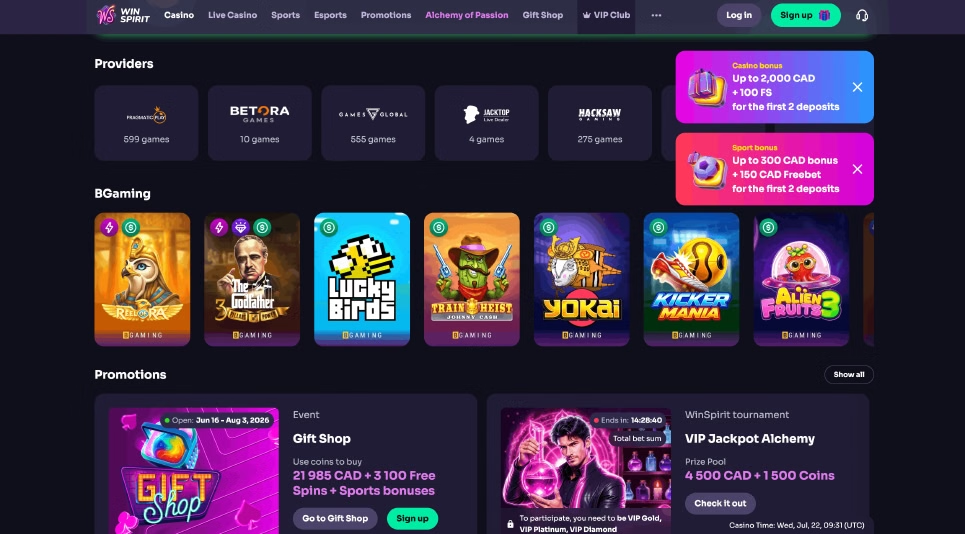
Whichever route you take, it is the same platform: the same account, the same cashier, the same lobby. Operated by Complete Technologies N.V. under a Curaçao licence, live since 2022, with payments handled through a subsidiary entity.
- Games — several thousand titles from Pragmatic Play, NetEnt, Evolution and others. Public counts range from roughly 3,000 to 7,000 depending on whether live tables and variants are counted separately, so treat the headline number on any review page as approximate.
- Australian banking — AUD held natively, so no conversion spread. POLi, PayID, Neosurf, Visa, Mastercard, MiFinity, MuchBetter and a dozen cryptocurrencies.
- Payout speed by method — crypto within minutes of approval, e-wallets around 24 hours, cards 3–5 business days on the network’s own timeline. The method you pick matters far more than the device you played on.
- Limits — AU$14,000 per week and AU$60,000 per month, so a large win pays in instalments.
- Support — live chat around the clock, with reported average pickup around a minute.
Bonuses do not change by device
Worth stating because “exclusive app bonus” is a common claim: the welcome package attaches to the account, not the install. Expect a first-deposit match plus 100 free spins delivered 20 per day across five days rather than all at once, a AU$20 minimum qualifying deposit, 40x wagering on the bonus amount and a 30-day window. Headline figures quoted across affiliate pages vary widely — confirm the live terms in the cashier before depositing.
Before the first deposit
One check that is worth more than any feature comparison: confirm the licence seal in the site footer. Curaçao retired its master-licence system — Antillephone’s master licence expired in November 2024 and the orange transition seal stopped being valid on 15 October 2025. Operators still trading legitimately carry a green Curaçao Gaming Authority seal linking to a live register entry.
The download guide walks the install per device and ends on exactly that check.